
Basic of SEO for Your Website
Small SEO Steps, Big Traffic Results
When you build a beautiful website, there’s one big question: “Will people find it?”
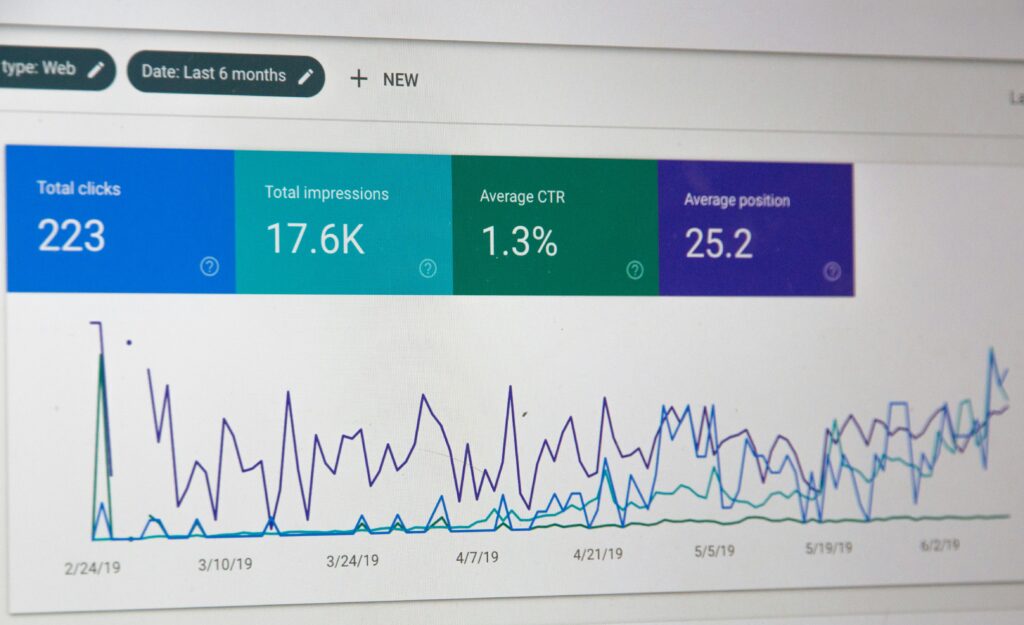
That’s where SEO (Search Engine Optimization) comes in. Even if your site looks amazing, it needs help to appear on Google and reach the right audience. In this blog, we’ll walk through the basic SEO elements every website owner should know—no tech background required!
What is SEO?
SEO stands for Search Engine Optimization—a set of practices that help improve your website’s visibility in search engines like Google. In simple terms, it’s about making your website easier to find, crawl, and understand so that it can appear in search results when someone types a relevant query.
Why is SEO Important?
More Visibility: Better SEO = higher ranking on Google = more visitors.
Free Traffic: You don’t need to pay for ads if your site ranks well.
Builds Trust: People trust websites that appear on the first page of search results.
Long-Term Results: Unlike paid ads, SEO works over time.
Basic SEO Elements You Should Know
Keywords
These are the terms users type into search engines. Example:
“Best website layout for beginners”
Use keywords naturally in your titles, headings, paragraphs, and image names.
Tip: Use tools like Google Keyword Planner to find effective keywords.
Meta Title & Meta Description
These show up in Google results.
Example:
Title: “Basics of SEO for Your Website”
Description: “Learn simple SEO tips to help your website rank higher and attract more visitors.”
Tip: Keep the title under 60 characters and description under 160.
Alt Text for Images
Search engines “read” your images through alt text.
Example:
Alt text: “Responsive website design for mobile users”
Tip: Always describe the image clearly and include keywords.
Mobile-Friendly Design
Over 60% of users browse via mobile.
Tip: Use responsive themes that adjust to all screen sizes (especially in WordPress).
Page Speed
Slow websites can hurt SEO.
Use tools like Google Page Speed Insights or GT metrix.
Tip: Compress images, avoid heavy files, and use reliable hosting.
On-Page SEO Tips (You Can Do Today!)
Use only one H1 heading per page (usually your title).
Add internal links to your other blog posts.
Write content in short, clear paragraphs
Use bullet points or numbered lists for easy reading.
Add keywords in your first 100 words.
A Quick Look at Off-Page SEO
Off-page SEO is what happens outside your website to boost its reputation.
The most important part?
Backlinks: When other websites link to your content. It shows search engines that your site is trustworthy.
Tip: Share your blogs on social media or submit guest posts to get backlinks.